This a problem many blogs experienced after the January 2012 migration and upgrade. The fix is very simple.
Login to your WordPress dashboard and go to your “Settings” tab on the left sidebar (Shown below).

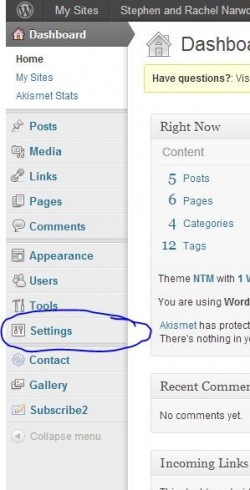
Open the “Permalinks” menu and “Save Changes.” No settings changes are necessary. Go back and check your blog to see if the problem is corrected.
If you still see the error, please email blog_support@ntm.org for further support.